Your audience · Updated Oct 9, 2026
Verify your lists
In short
Verification checks every address before you email it, so you don't send to addresses that bounce. It's recommended, not required: a campaign can use a list that isn't verified, and invalid addresses are never mailed.
Verify a list
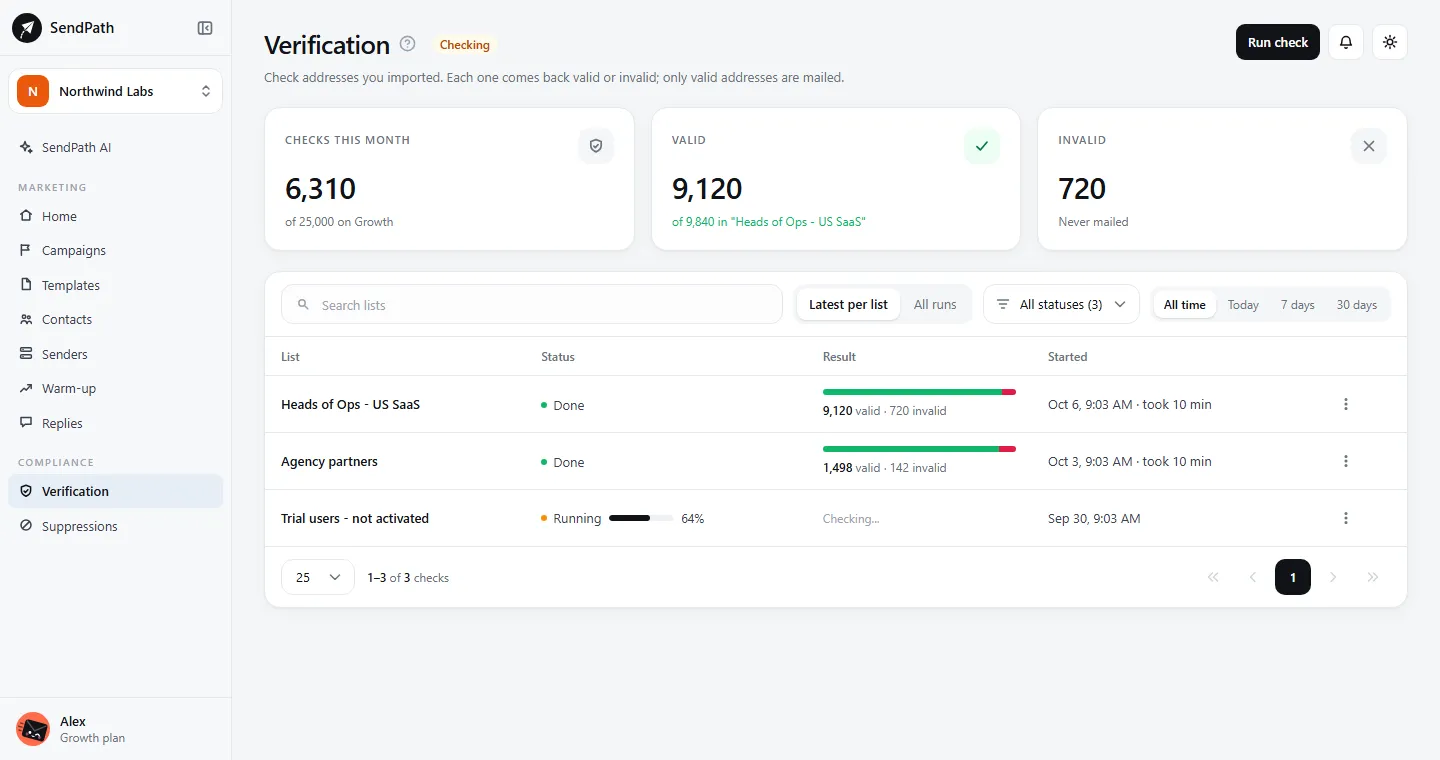
- Step 1: On Verification, click Run check and pick the list. (Or use Verify emails in the list's menu on Contacts.)
- Step 2: Wait for it to finish. A running check shows its progress and saves what it finds as it goes; a big list can take a long time.
- Step 3: Look at the results. The check's menu has View invalid, and Export valid, Export invalid and Export not verified to download each as a CSV file (also in the list's menu on Contacts).
What the results mean
- Valid
- Can be emailed.
- Invalid
- Never emailed. A broken format, a typo domain (gmial.com), a domain that can't receive mail or whose mail server can't be found, a role address (info@, sales@), a disposable inbox, a catch-all domain, a full or missing mailbox, or a mail server that won't answer the check. Recheck tries again.
- Not verified yet
- Never checked. A campaign mails it; checking first is recommended.
How many checks you get
Each plan includes as many verifications a month as it holds contacts. A recheck uses them again. A check that is stopped, or doesn't finish, gives back what it used.
- Starter
- Verifications a month: 2,000
- Growth
- Verifications a month: 25,000
- Scale
- Verifications a month: 100,000
The Verification page shows how many you've used this month. The count resets on the 1st.
Verification credits
When a list is bigger than the checks left this month, verification credits cover the rest without changing plan. One credit checks one address. They're used only after your plan's verifications for the month, and they never expire.
- $3.90 per 1,000 ($0.0039 each). Buy any amount from 1,000, in steps of 100.
- Every address a check judges uses a credit, including invalid ones: a failed basic check, a mailbox that doesn't exist, or a mail server that won't answer. Nothing is used for the addresses a check doesn't reach: a check you stop keeps what it found and gives back the rest.
- Credits belong to the workspace: they can't be moved to another one, and they're lost if the workspace is deleted.
- Step 1: On Verification, the workspace owner clicks Buy credits. When a list is too big, Run check offers to buy what it's short of.
- Step 2: Choose how many, then pay at checkout.
- Step 3: Back on Verification, the credits are added. Show purchases and use lists each purchase and check.
If something's wrong
- Most of my list came back invalid.
- It's often role addresses (info@, hello@), disposable inboxes or catch-all domains. Find named people at real company domains instead, then import and check again.
- A check says not enough verifications are left.
- The list is bigger than this month's checks and your verification credits. The owner can buy credits on Verification, upgrade, or wait for the 1st.
- The check stopped part-way.
- Use Resume check in the list's menu to check the addresses it didn't reach. What it already found is kept.
Was this page helpful?
Related
Something missing or wrong? Email support@sendpath.ai.